Buy فرکانس.com ?
We are moving the project
فرکانس.com .
Are you interested in purchasing the domain
فرکانس.com ?
domain@kv-gmbh.de · 0541-91531010
Buy فرکانس.com ?
Why is the HP Deskjet 2540 printer not printing?
There could be several reasons why the HP Deskjet 2540 printer is not printing. Some common reasons include low ink levels, paper jams, connectivity issues, or outdated printer drivers. It is recommended to check the ink levels, ensure there are no paper jams, verify the printer is connected properly to the computer or network, and update the printer drivers to troubleshoot and resolve the issue. **
Why is the HP Deskjet 2540 not printing correctly?
The HP Deskjet 2540 may not be printing correctly due to various reasons such as low ink levels, clogged printheads, incorrect paper settings, or outdated printer drivers. It is important to check the ink levels, clean the printheads, ensure the paper settings match the paper being used, and update the printer drivers to troubleshoot and resolve printing issues. If the problem persists, contacting HP customer support for further assistance may be necessary. **


Similar search terms for 2540
Top-Angebote
Products related to 2540:
-
Inspired Deals Digital Transceiver For Low Latency Drone Video Transmission Stable Signal Module Digital Transceiver For Low Latency Drone Video Transmission Stable Signal ModuleTake control of every flight with confidence and clarity. This DJI Neo 2 digital transceiver is designed for drone enthusiasts and professionals who demand smooth, realtime video transmission without frustrating delays. Whether you're capturing...64,97 $*Shipping: 0,00 $Secure redirect to the provider
-
Atlas Lighting and Home Atlas Amplitude Pale Pink Marbled Glass VaseThe Amplitude large vase is made from glass and features a ridged design in a pale pink marbleized finish. This piece is ideal for subtly introducing a light, feminine color palette to a chic, modern interior.38,99 $*Shipping: 0,00 $Secure redirect to the provider
-
Frequency Stripe Wallpaper in Greys & YellowsMultiple stripes are brushed with vigorous speed to create vibrancy in this design. This stripe has a, Zen-like, relaxed quality that could create a calming atmosphere. Add dimension to your space with this design.50,12 $*Shipping: 0,00 $Secure redirect to the provider
-
Uplift Picks Ultrasonic Jewelry Cleaner Portable High Frequency Cleaning Machine Ultrasonic Jewelry Cleaner Portable High Frequency Cleaning MachineBring back the shine to your everyday items with this ultrasonic jewelry cleaner designed for effortless deep cleaning. Using high frequency vibrations, it removes dirt and buildup from hard to reach areas without harsh scrubbing. Compact and easy...56,98 $*Shipping: 0,00 $Secure redirect to the provider




-
Why is the HP Deskjet 2540 not printing anymore?
There could be several reasons why the HP Deskjet 2540 is not printing anymore. It could be due to a paper jam, low ink levels, a connectivity issue, or a software problem. It's important to check for any error messages on the printer or computer, ensure that the printer is properly connected to the computer or network, and make sure that the ink cartridges are not empty. Additionally, restarting the printer and computer, as well as updating the printer drivers, may help resolve the issue. If the problem persists, it may be necessary to contact HP support for further assistance. **
-
Why does the HP Deskjet 2540 pull the paper in crookedly?
The HP Deskjet 2540 may pull paper in crookedly due to several reasons. One common reason is that the paper guides are not properly adjusted, causing the paper to be misaligned as it is fed into the printer. Another possible cause could be that the paper is not loaded evenly or is too tightly packed in the paper tray, leading to it being pulled in at an angle. Additionally, the rollers inside the printer may be dirty or worn out, causing them to grip the paper unevenly and pull it in crookedly. Regular maintenance and proper paper loading can help prevent this issue. **
-
Why does the HP Deskjet 2540 only print in black and white?
The HP Deskjet 2540 may only print in black and white if the color ink cartridges are empty or malfunctioning. Another reason could be that the printer settings are configured to print in grayscale or black and white only. It is recommended to check the ink levels and printer settings to ensure that color printing is enabled. **
-
Why do audio files have an asymmetric amplitude spectrum?
Audio files have an asymmetric amplitude spectrum because they contain a wide range of frequencies, with some frequencies being more dominant than others. This results in a non-uniform distribution of amplitudes across the frequency spectrum, leading to an asymmetric shape. Additionally, the human auditory system is more sensitive to certain frequencies, which can also contribute to the asymmetry in the amplitude spectrum of audio files. Overall, the complex combination of different frequencies and their varying amplitudes results in an asymmetric amplitude spectrum in audio files. **

What are the issues with the HP Deskjet 2540 where the paper gets wrinkled?
The most common issues with the HP Deskjet 2540 where the paper gets wrinkled are related to paper jams, improper paper loading, and dirty or damaged rollers. Paper jams can occur if the paper is not properly aligned or if there is debris in the printer. Improper paper loading, such as using wrinkled or damaged paper, can also cause the paper to get wrinkled during printing. Additionally, dirty or damaged rollers can cause the paper to feed unevenly, leading to wrinkling. Regular maintenance, proper paper loading, and keeping the printer clean can help prevent these issues. **
How do I set up my HP Deskjet 2540 to print over Wi-Fi?
To set up your HP Deskjet 2540 to print over Wi-Fi, first ensure that your printer is turned on and connected to a power source. Then, press the Wireless button on the printer's control panel. Next, press the WPS button on your wireless router within 2 minutes. The wireless light on the printer will stop blinking once the connection is established. Finally, download and install the HP Smart app on your computer or mobile device, and follow the on-screen instructions to complete the setup process. **
Top-Angebote
Products related to 2540:
-
Belfry Bathroom 2540 Mirrored Bathroom Cabinets 5 Shelves with MirrorThis smart wall mounted mirror cabinet —featuring a mirrored door and designed for wall mounting—offers an elegant yet practical solution that helps free up valuable floor space.The led mirror cabinet is equipped with adjustable shelves, providing ample storage capacity to accommodate all your daily essentials.This medicine cabinet features an integrated lighting system with three adjustable color modes, allowing it to adapt to your needs throughout the day and making your daily routine smarter and more comfortable. 【Adjustable Lighting and Anti-Fog Function for Perfect Visibility】This bathroom mirror cabinet features adjustable LED lighting with three light color temperatures to suit your daily routines. The led mirror cabinet's single-touch anti-fog function keeps the mirror perfectly clear—even in a humid bathroom environment—offering everyday convenience.. 【Flexible Organization with Adjustable Shelves】The interior of this wall mounted mirror cabinet features height-adjustable shelves (non-glass) that allow you to customize the storage space to fit the size of your skincare products, bottles, and accessories. This flexibility ensures optimized use of the available space within the cabinet.. 【Convenient Access to Hand Towels with a Dedicated Slot】A thoughtful detail designed with you in mind: a slot for a roll of hand towels is integrated beneath the bottom right shelf. This feature of the mirror bathroom cabinet allows you to dispense paper towels quickly and easily—a practical touch that simplifies your daily routine.. 【Integrated Standard European Power Outlet】This bathroom mirror cabinet with storage is equipped with a European-style power outlet, cleverly and discreetly integrated into the top right corner. It allows you to directly power your electric toothbrush or hair dryer, conveniently meeting your electrical needs within the bathroom.. 【Quality Craftsmanship for Lasting Durability】The medicine cabinet housing is meticulously crafted using high-quality materials and robust hardware. The combination of this wall cabinet with mirror lighting system and anti-fog function demonstrates a successful integration of technology and utility, ensuring a reliable and durable product for your bathroom.. Brand Name: Belfry Bathroom.173,99 £*Shipping: 0,00 £Secure redirect to the provider
-
Inspired Deals Digital Transceiver For Low Latency Drone Video Transmission Stable Signal Module Digital Transceiver For Low Latency Drone Video Transmission Stable Signal ModuleTake control of every flight with confidence and clarity. This DJI Neo 2 digital transceiver is designed for drone enthusiasts and professionals who demand smooth, realtime video transmission without frustrating delays. Whether you're capturing...64,97 $*Shipping: 0,00 $Secure redirect to the provider
-
Atlas Lighting and Home Atlas Amplitude Pale Pink Marbled Glass VaseThe Amplitude large vase is made from glass and features a ridged design in a pale pink marbleized finish. This piece is ideal for subtly introducing a light, feminine color palette to a chic, modern interior.38,99 $*Shipping: 0,00 $Secure redirect to the provider
-
Why is the HP Deskjet 2540 printer not printing?
There could be several reasons why the HP Deskjet 2540 printer is not printing. Some common reasons include low ink levels, paper jams, connectivity issues, or outdated printer drivers. It is recommended to check the ink levels, ensure there are no paper jams, verify the printer is connected properly to the computer or network, and update the printer drivers to troubleshoot and resolve the issue. **
-
Why is the HP Deskjet 2540 not printing correctly?
The HP Deskjet 2540 may not be printing correctly due to various reasons such as low ink levels, clogged printheads, incorrect paper settings, or outdated printer drivers. It is important to check the ink levels, clean the printheads, ensure the paper settings match the paper being used, and update the printer drivers to troubleshoot and resolve printing issues. If the problem persists, contacting HP customer support for further assistance may be necessary. **
-
Why is the HP Deskjet 2540 not printing anymore?
There could be several reasons why the HP Deskjet 2540 is not printing anymore. It could be due to a paper jam, low ink levels, a connectivity issue, or a software problem. It's important to check for any error messages on the printer or computer, ensure that the printer is properly connected to the computer or network, and make sure that the ink cartridges are not empty. Additionally, restarting the printer and computer, as well as updating the printer drivers, may help resolve the issue. If the problem persists, it may be necessary to contact HP support for further assistance. **
-
Why does the HP Deskjet 2540 pull the paper in crookedly?
The HP Deskjet 2540 may pull paper in crookedly due to several reasons. One common reason is that the paper guides are not properly adjusted, causing the paper to be misaligned as it is fed into the printer. Another possible cause could be that the paper is not loaded evenly or is too tightly packed in the paper tray, leading to it being pulled in at an angle. Additionally, the rollers inside the printer may be dirty or worn out, causing them to grip the paper unevenly and pull it in crookedly. Regular maintenance and proper paper loading can help prevent this issue. **
Similar search terms for 2540
-
Frequency Stripe Wallpaper in Greys & YellowsMultiple stripes are brushed with vigorous speed to create vibrancy in this design. This stripe has a, Zen-like, relaxed quality that could create a calming atmosphere. Add dimension to your space with this design.50,12 $*Shipping: 0,00 $Secure redirect to the provider
-
Uplift Picks Ultrasonic Jewelry Cleaner Portable High Frequency Cleaning Machine Ultrasonic Jewelry Cleaner Portable High Frequency Cleaning MachineBring back the shine to your everyday items with this ultrasonic jewelry cleaner designed for effortless deep cleaning. Using high frequency vibrations, it removes dirt and buildup from hard to reach areas without harsh scrubbing. Compact and easy...56,98 $*Shipping: 0,00 $Secure redirect to the provider
-
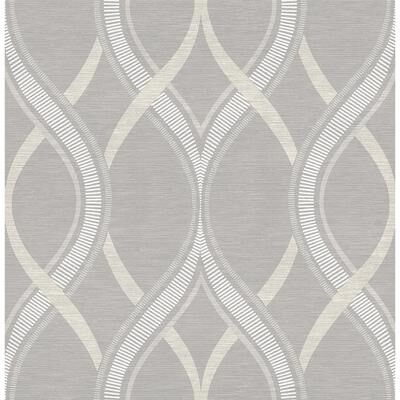
A-Street Prints Frequency Grey Ogee WallpaperRecreate the look of your room with this elegant and mod wallpaper design. A warm grey texture topped with a swirling ogee geometric, brings depth and dimension to walls featuring chic raised inks for the perfect finishing touch.100,03 $*Shipping: 0,00 $Secure redirect to the provider
-
Why does the HP Deskjet 2540 only print in black and white?
The HP Deskjet 2540 may only print in black and white if the color ink cartridges are empty or malfunctioning. Another reason could be that the printer settings are configured to print in grayscale or black and white only. It is recommended to check the ink levels and printer settings to ensure that color printing is enabled. **
-
Why do audio files have an asymmetric amplitude spectrum?
Audio files have an asymmetric amplitude spectrum because they contain a wide range of frequencies, with some frequencies being more dominant than others. This results in a non-uniform distribution of amplitudes across the frequency spectrum, leading to an asymmetric shape. Additionally, the human auditory system is more sensitive to certain frequencies, which can also contribute to the asymmetry in the amplitude spectrum of audio files. Overall, the complex combination of different frequencies and their varying amplitudes results in an asymmetric amplitude spectrum in audio files. **
-
What are the issues with the HP Deskjet 2540 where the paper gets wrinkled?
The most common issues with the HP Deskjet 2540 where the paper gets wrinkled are related to paper jams, improper paper loading, and dirty or damaged rollers. Paper jams can occur if the paper is not properly aligned or if there is debris in the printer. Improper paper loading, such as using wrinkled or damaged paper, can also cause the paper to get wrinkled during printing. Additionally, dirty or damaged rollers can cause the paper to feed unevenly, leading to wrinkling. Regular maintenance, proper paper loading, and keeping the printer clean can help prevent these issues. **
-
How do I set up my HP Deskjet 2540 to print over Wi-Fi?
To set up your HP Deskjet 2540 to print over Wi-Fi, first ensure that your printer is turned on and connected to a power source. Then, press the Wireless button on the printer's control panel. Next, press the WPS button on your wireless router within 2 minutes. The wireless light on the printer will stop blinking once the connection is established. Finally, download and install the HP Smart app on your computer or mobile device, and follow the on-screen instructions to complete the setup process. **
* All prices are inclusive of VAT and, if applicable, plus shipping costs. The offer information is based on the details provided by the respective shop and is updated through automated processes. Real-time updates do not occur, so deviations can occur in individual cases. ** Note: Parts of this content were created by AI.