Buy فرکانس.com ?
We are moving the project
فرکانس.com .
Are you interested in purchasing the domain
فرکانس.com ?
domain@kv-gmbh.de · 0541-91531010
Buy فرکانس.com ?
Should I choose the SteelSeries Arctis Pro or the SteelSeries Arctis 7P for the PS5?
Both the SteelSeries Arctis Pro and the SteelSeries Arctis 7P are compatible with the PS5 and offer high-quality audio. The Arctis Pro is a premium headset with Hi-Res audio certification and a dedicated DAC for better sound quality, making it a great choice for audiophiles or those who want the best possible audio experience. On the other hand, the Arctis 7P is a more affordable option with similar features and wireless connectivity, making it a convenient choice for gamers who prioritize comfort and convenience. Ultimately, the choice between the two will depend on your budget and how important audio quality is to you. **
How can one double connect the Arctis 7 from SteelSeries?
To double connect the Arctis 7 from SteelSeries, you can use the included 3.5mm audio cable to connect the headset to a mobile device or another audio source while simultaneously using the wireless connection to a PC or gaming console. This allows you to listen to audio from two different sources at the same time. Additionally, you can also use the dual wireless functionality of the Arctis 7 by connecting the headset to two different devices via the USB transmitter and Bluetooth simultaneously. This allows you to switch between audio sources seamlessly. **
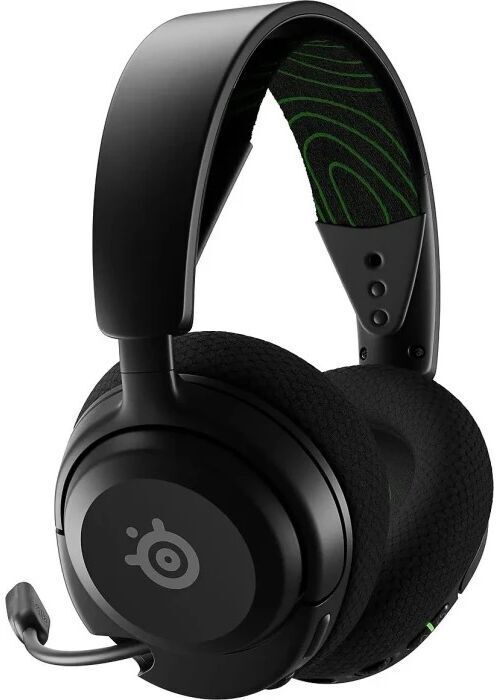

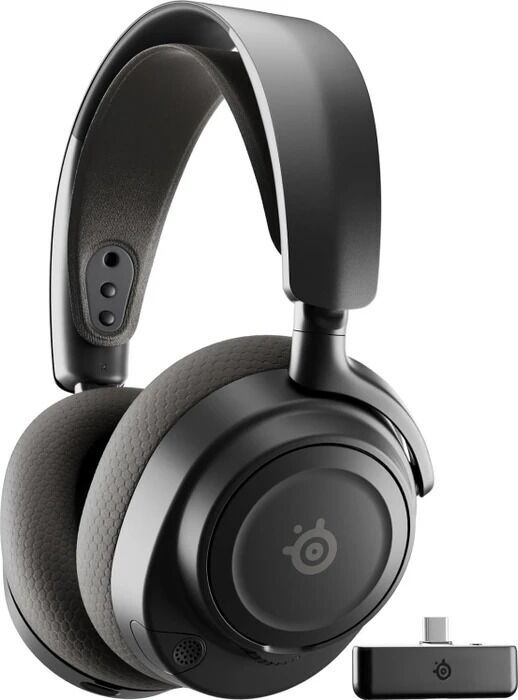
Similar search terms for SteelSeries-Arctis-Nova-5X
Top-Angebote
Products related to SteelSeries-Arctis-Nova-5X:
-
SteelSeries Arctis Nova 5P Black - RefurbishedEver been frustrated by your headphones dying right when you need them most? The SteelSeries Arctis Nova 5P keeps you going longer, so you don't have to pause your focus or flow. This over-ear headset suits gamers, remote workers, and anyone who spends long hours on calls or listening to music. Its design supports clear communication and immersive sound without frequent recharging. Wireless freedom with Bluetooth 5.3 means you can move around without tangled cables or losing connection. A battery runtime of up to 60 hours lets you power through multiple days without plugging in, perfect for extended gaming sessions or back-to-back meetings. USB-C and USB-A connectors give you flexible options to charge or connect to various devices. The built-in microphone ensures your voice comes through clearly during chats or calls. Picture yourself settling in for a marathon gaming session or a full day of virtual meetings. The Arctis Nova 5P stays comfortable and connected, so you focus on what matters without interruptions. Q: Can I use the Arctis Nova 5P with my laptop and phone? A: Yes, you can connect it wirelessly via Bluetooth or use USB-C or USB-A for wired connections, making it versatile across devices. Q: How long can I expect to use the headphones before needing a recharge? A: You get up to 60 hours of battery life, which covers several days of heavy use without worrying about power. Q: Is the microphone suitable for professional calls? A: The integrated microphone delivers clear voice transmission, fitting for both casual chats and professional meetings. Choosing a refurbished Arctis Nova 5P means you get reliable audio gear while supporting a more sustainable choice. It extends the product's life and reduces electronic waste. refurbed backs this headset with a warranty and a straightforward return policy, giving you peace of mind alongside great sound and lasting comfort.109,00 £*Shipping: 0,00 £Secure redirect to the provider
-
SteelSeries Arctis GameBuds Wireless Noise-Cancelling Gaming Earbuds for Xbox - BlackSteelSeries Arctis GameBuds for Xbox (model 61707) are wireless gaming earbuds in black. Quick-Switch Wireless lets you move between low-latency 2.4 GHz wireless, through the slim USB-C dongle, for Xbox, PC, PS5 and Switch, and Bluetooth 5.3 for phones and tablets. A 4-mic hybrid system provides active noise cancellation, with a transparency mode for hearing your surroundings. 360° spatial audio and more than 100 audio presets in the Arctis Companion app tune the sound for each game. The earbuds last up to 10 hours per charge, up to 40 hours with the Qi wireless charging case, and are IP55 rated against sweat and dust.123,99 £*Shipping: 0,00 £Secure redirect to the provider
-
SteelSeries Apex 3 TKL Gaming Keyboard BlackTenkeyless gaming keyboard with Whisper Quiet switches for silent gameplay and fully programmable keys including macro support. Wired USB connectivity compatible with Windows, Mac, PS5, and Xbox. Includes 2-year manufacturer's guarantee.34,99 £*Shipping: 0,00 £Secure redirect to the provider
-
SteelSeries QcK Cloth Gaming Mouse Pad - WhiteDescription Improve mouse control for gaming with the SteelSeries QcK Cloth Gaming Mouse Pad. Designed for gamers and esports players, it provides a smooth surface intended to support accurate tracking during play. The micro-woven cloth has a high thread count and has been tested by a leading mouse sensor manufacturer to optimise tracking accuracy for both optical and laser sensors. Its durable, non-slip rubber base helps prevent unwanted movement, providing a stable platform for gaming. The mouse pad is washable for straightforward cleaning and maintenance. Supplied in white and sized for a compact desktop setup, it is an essential addition for gamers seeking dependable mouse accuracy and control.27,99 £*Shipping: 0,00 £Secure redirect to the provider


-
Which is better, the Astro A50 or the SteelSeries Arctis Pro Wireless?
The choice between the Astro A50 and the SteelSeries Arctis Pro Wireless ultimately depends on personal preference and specific needs. The Astro A50 is known for its comfortable design and excellent sound quality, while the SteelSeries Arctis Pro Wireless offers a more customizable audio experience with its swappable batteries and Bluetooth connectivity. Both headsets are top-of-the-line options with their own strengths, so it's recommended to consider factors such as comfort, sound quality, and additional features before making a decision. **
-
Should I choose the SteelSeries Arctis 3 or the HyperX Cloud II?
Both the SteelSeries Arctis 3 and the HyperX Cloud II are popular gaming headsets with good sound quality and comfort. The SteelSeries Arctis 3 has a more sleek and modern design, while the HyperX Cloud II has a more traditional gaming headset look. The Arctis 3 also has a retractable microphone, while the Cloud II has a detachable microphone. Ultimately, the choice between the two will come down to personal preference in terms of design and features. I would recommend trying both on if possible to see which one feels more comfortable for you. **
-
Why are the microphones of the Arctis SteelSeries Pro for the PS4 Pro quiet?
The microphones of the Arctis SteelSeries Pro for the PS4 Pro may be quiet due to a few reasons. It could be a result of the microphone sensitivity settings being too low, or the microphone itself may be faulty or damaged. Additionally, there could be an issue with the connection between the microphone and the PS4 Pro, causing it to not pick up sound properly. It's also possible that the headset's firmware needs to be updated to resolve any potential issues with the microphone volume. **
-
How do I connect the SteelSeries Nova 7X to the Xbox Series X?
To connect the SteelSeries Nova 7X headset to the Xbox Series X, follow these steps: 1. Plug the USB-C wireless dongle into one of the available USB ports on the Xbox Series X. 2. Turn on the SteelSeries Nova 7X headset by pressing and holding the power button until the LED lights up. 3. Press and hold the pairing button on the wireless dongle until the LED starts blinking rapidly. 4. Press and hold the power button on the headset until the LED lights start blinking rapidly as well. 5. Once the LED lights on both the headset and dongle stabilize, the SteelSeries Nova 7X should be successfully connected to the Xbox Series X. **

What is 5x + 6y + 5x + 6y?
The expression 5x + 6y + 5x + 6y simplifies to 10x + 12y. This is because the coefficients of x and y are added together, resulting in 10x and 12y respectively. **
Which one is better: the Astro A50, the SteelSeries Arctis Pro, the Beyerdynamic 300, or the Beyerdynamic DT 990 Pro?
The best headset among the Astro A50, SteelSeries Arctis Pro, Beyerdynamic 300, and Beyerdynamic DT 990 Pro depends on your specific needs. The Astro A50 is known for its wireless convenience and surround sound capabilities, making it great for gaming. The SteelSeries Arctis Pro is praised for its high-quality audio and comfortable design, making it a good choice for both gaming and music. The Beyerdynamic 300 is a solid option for studio monitoring and professional use, while the Beyerdynamic DT 990 Pro is popular for its open-back design and detailed sound reproduction, making it ideal for critical listening and mixing. Ultimately, the best choice depends on your specific preferences and intended use. **
Top-Angebote
Products related to SteelSeries-Arctis-Nova-5X:
-
SteelSeries Arctis Nova 3 Headphones BlackGaming headset featuring 360° spatial audio for immersive in-game positioning and high-fidelity sound across the frequency range. Equipped with active noise cancellation, built-in microphone, and compatible with PC, Mac, PlayStation, Switch, and Xbox via USB Type-C, USB, or 3.5mm jack connectivity. Lightweight design at 253g with 1.2m cable length.79,99 £*Shipping: 0,00 £Secure redirect to the provider
-
SteelSeries Arctis Nova 5P Black - RefurbishedEver been frustrated by your headphones dying right when you need them most? The SteelSeries Arctis Nova 5P keeps you going longer, so you don't have to pause your focus or flow. This over-ear headset suits gamers, remote workers, and anyone who spends long hours on calls or listening to music. Its design supports clear communication and immersive sound without frequent recharging. Wireless freedom with Bluetooth 5.3 means you can move around without tangled cables or losing connection. A battery runtime of up to 60 hours lets you power through multiple days without plugging in, perfect for extended gaming sessions or back-to-back meetings. USB-C and USB-A connectors give you flexible options to charge or connect to various devices. The built-in microphone ensures your voice comes through clearly during chats or calls. Picture yourself settling in for a marathon gaming session or a full day of virtual meetings. The Arctis Nova 5P stays comfortable and connected, so you focus on what matters without interruptions. Q: Can I use the Arctis Nova 5P with my laptop and phone? A: Yes, you can connect it wirelessly via Bluetooth or use USB-C or USB-A for wired connections, making it versatile across devices. Q: How long can I expect to use the headphones before needing a recharge? A: You get up to 60 hours of battery life, which covers several days of heavy use without worrying about power. Q: Is the microphone suitable for professional calls? A: The integrated microphone delivers clear voice transmission, fitting for both casual chats and professional meetings. Choosing a refurbished Arctis Nova 5P means you get reliable audio gear while supporting a more sustainable choice. It extends the product's life and reduces electronic waste. refurbed backs this headset with a warranty and a straightforward return policy, giving you peace of mind alongside great sound and lasting comfort.109,00 £*Shipping: 0,00 £Secure redirect to the provider
-
SteelSeries Arctis GameBuds Wireless Noise-Cancelling Gaming Earbuds for Xbox - BlackSteelSeries Arctis GameBuds for Xbox (model 61707) are wireless gaming earbuds in black. Quick-Switch Wireless lets you move between low-latency 2.4 GHz wireless, through the slim USB-C dongle, for Xbox, PC, PS5 and Switch, and Bluetooth 5.3 for phones and tablets. A 4-mic hybrid system provides active noise cancellation, with a transparency mode for hearing your surroundings. 360° spatial audio and more than 100 audio presets in the Arctis Companion app tune the sound for each game. The earbuds last up to 10 hours per charge, up to 40 hours with the Qi wireless charging case, and are IP55 rated against sweat and dust.123,99 £*Shipping: 0,00 £Secure redirect to the provider
-
Should I choose the SteelSeries Arctis Pro or the SteelSeries Arctis 7P for the PS5?
Both the SteelSeries Arctis Pro and the SteelSeries Arctis 7P are compatible with the PS5 and offer high-quality audio. The Arctis Pro is a premium headset with Hi-Res audio certification and a dedicated DAC for better sound quality, making it a great choice for audiophiles or those who want the best possible audio experience. On the other hand, the Arctis 7P is a more affordable option with similar features and wireless connectivity, making it a convenient choice for gamers who prioritize comfort and convenience. Ultimately, the choice between the two will depend on your budget and how important audio quality is to you. **
-
How can one double connect the Arctis 7 from SteelSeries?
To double connect the Arctis 7 from SteelSeries, you can use the included 3.5mm audio cable to connect the headset to a mobile device or another audio source while simultaneously using the wireless connection to a PC or gaming console. This allows you to listen to audio from two different sources at the same time. Additionally, you can also use the dual wireless functionality of the Arctis 7 by connecting the headset to two different devices via the USB transmitter and Bluetooth simultaneously. This allows you to switch between audio sources seamlessly. **
-
Which is better, the Astro A50 or the SteelSeries Arctis Pro Wireless?
The choice between the Astro A50 and the SteelSeries Arctis Pro Wireless ultimately depends on personal preference and specific needs. The Astro A50 is known for its comfortable design and excellent sound quality, while the SteelSeries Arctis Pro Wireless offers a more customizable audio experience with its swappable batteries and Bluetooth connectivity. Both headsets are top-of-the-line options with their own strengths, so it's recommended to consider factors such as comfort, sound quality, and additional features before making a decision. **
-
Should I choose the SteelSeries Arctis 3 or the HyperX Cloud II?
Both the SteelSeries Arctis 3 and the HyperX Cloud II are popular gaming headsets with good sound quality and comfort. The SteelSeries Arctis 3 has a more sleek and modern design, while the HyperX Cloud II has a more traditional gaming headset look. The Arctis 3 also has a retractable microphone, while the Cloud II has a detachable microphone. Ultimately, the choice between the two will come down to personal preference in terms of design and features. I would recommend trying both on if possible to see which one feels more comfortable for you. **
Similar search terms for SteelSeries-Arctis-Nova-5X
-
SteelSeries Apex 3 TKL Gaming Keyboard BlackTenkeyless gaming keyboard with Whisper Quiet switches for silent gameplay and fully programmable keys including macro support. Wired USB connectivity compatible with Windows, Mac, PS5, and Xbox. Includes 2-year manufacturer's guarantee.34,99 £*Shipping: 0,00 £Secure redirect to the provider
-
SteelSeries QcK Cloth Gaming Mouse Pad - WhiteDescription Improve mouse control for gaming with the SteelSeries QcK Cloth Gaming Mouse Pad. Designed for gamers and esports players, it provides a smooth surface intended to support accurate tracking during play. The micro-woven cloth has a high thread count and has been tested by a leading mouse sensor manufacturer to optimise tracking accuracy for both optical and laser sensors. Its durable, non-slip rubber base helps prevent unwanted movement, providing a stable platform for gaming. The mouse pad is washable for straightforward cleaning and maintenance. Supplied in white and sized for a compact desktop setup, it is an essential addition for gamers seeking dependable mouse accuracy and control.27,99 £*Shipping: 0,00 £Secure redirect to the provider
-
SteelSeries Alias / Alias Pro 60474 Mic Boom Arm - BlackDescription The SteelSeries Alias 60474 Mic Boom Arm is designed for gamers, streamers, and podcasters seeking a reliable microphone support solution. This boom arm features flexible positioning with multiple adjustment points and 360° rotation, allowing users to find the ideal microphone placement. The premium metal tube construction is complemented by hidden springs for a sleek appearance, while hidden-channel cable management ensures a tidy setup. With tightening wheels, you can lock your position securely. An essential addition for any content creator looking to enhance their audio setup.77,49 £*Shipping: 0,00 £Secure redirect to the provider
-
Why are the microphones of the Arctis SteelSeries Pro for the PS4 Pro quiet?
The microphones of the Arctis SteelSeries Pro for the PS4 Pro may be quiet due to a few reasons. It could be a result of the microphone sensitivity settings being too low, or the microphone itself may be faulty or damaged. Additionally, there could be an issue with the connection between the microphone and the PS4 Pro, causing it to not pick up sound properly. It's also possible that the headset's firmware needs to be updated to resolve any potential issues with the microphone volume. **
-
How do I connect the SteelSeries Nova 7X to the Xbox Series X?
To connect the SteelSeries Nova 7X headset to the Xbox Series X, follow these steps: 1. Plug the USB-C wireless dongle into one of the available USB ports on the Xbox Series X. 2. Turn on the SteelSeries Nova 7X headset by pressing and holding the power button until the LED lights up. 3. Press and hold the pairing button on the wireless dongle until the LED starts blinking rapidly. 4. Press and hold the power button on the headset until the LED lights start blinking rapidly as well. 5. Once the LED lights on both the headset and dongle stabilize, the SteelSeries Nova 7X should be successfully connected to the Xbox Series X. **
-
What is 5x + 6y + 5x + 6y?
The expression 5x + 6y + 5x + 6y simplifies to 10x + 12y. This is because the coefficients of x and y are added together, resulting in 10x and 12y respectively. **
-
Which one is better: the Astro A50, the SteelSeries Arctis Pro, the Beyerdynamic 300, or the Beyerdynamic DT 990 Pro?
The best headset among the Astro A50, SteelSeries Arctis Pro, Beyerdynamic 300, and Beyerdynamic DT 990 Pro depends on your specific needs. The Astro A50 is known for its wireless convenience and surround sound capabilities, making it great for gaming. The SteelSeries Arctis Pro is praised for its high-quality audio and comfortable design, making it a good choice for both gaming and music. The Beyerdynamic 300 is a solid option for studio monitoring and professional use, while the Beyerdynamic DT 990 Pro is popular for its open-back design and detailed sound reproduction, making it ideal for critical listening and mixing. Ultimately, the best choice depends on your specific preferences and intended use. **
* All prices are inclusive of VAT and, if applicable, plus shipping costs. The offer information is based on the details provided by the respective shop and is updated through automated processes. Real-time updates do not occur, so deviations can occur in individual cases. ** Note: Parts of this content were created by AI.